JSW One is a B2B platform for procuring steel and construction materials.
I designed the post-purchase layer, everything that tells a buyer what's happening to their order after they've placed it.
The checkout was fine. Nobody could see what came next.
Steel procurement isn't a simple transaction. A single order can have 40 metric tons split across multiple shipments, different trucks, different dispatch windows, different invoice values per SKU. The complexity is real.
Before this, none of it was visible in the product. Buyers found out through phone calls, either JSW operations calling them, or them calling JSW to ask where their material was. The ops team was spending a significant chunk of each day answering questions that should have had self-serve answers.
After placing an order, buyers had no way to see what had been dispatched, what was on the truck, when it would arrive, or who to call if something went wrong. The Order Summary page existed but was essentially a dead end once money changed hands.
I had three weeks to design the entire shipment visibility layer, information architecture, navigation flows, and final screens for desktop and mobile.
How I Approached It
I started by asking what a procurement manager actually needs to know about a shipment. Not what we could technically show, what they needed.
Three things: what's being shipped. What it's worth. When it arrives.
Every screen I designed answers at least one of those. If it didn't, it didn't ship.
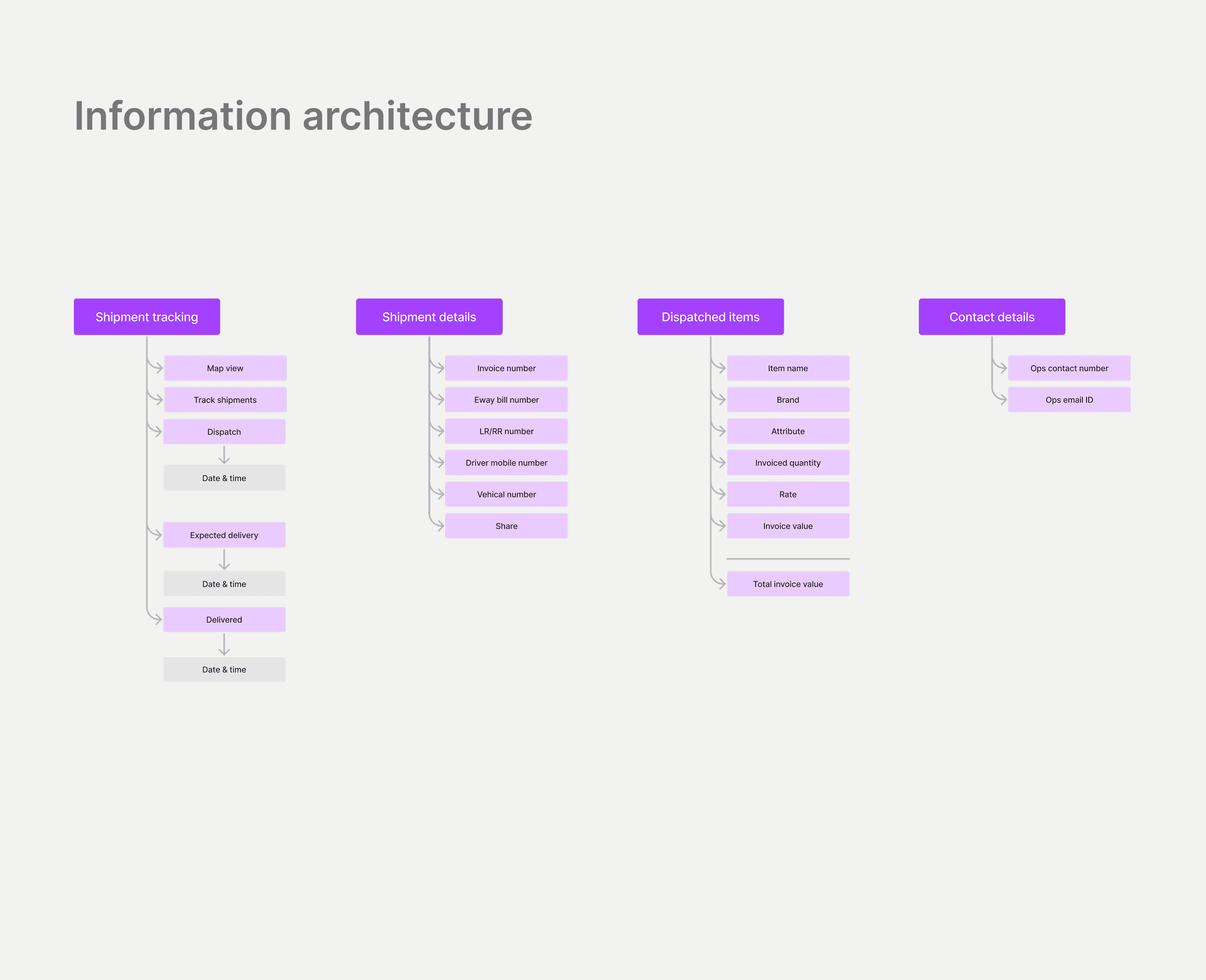
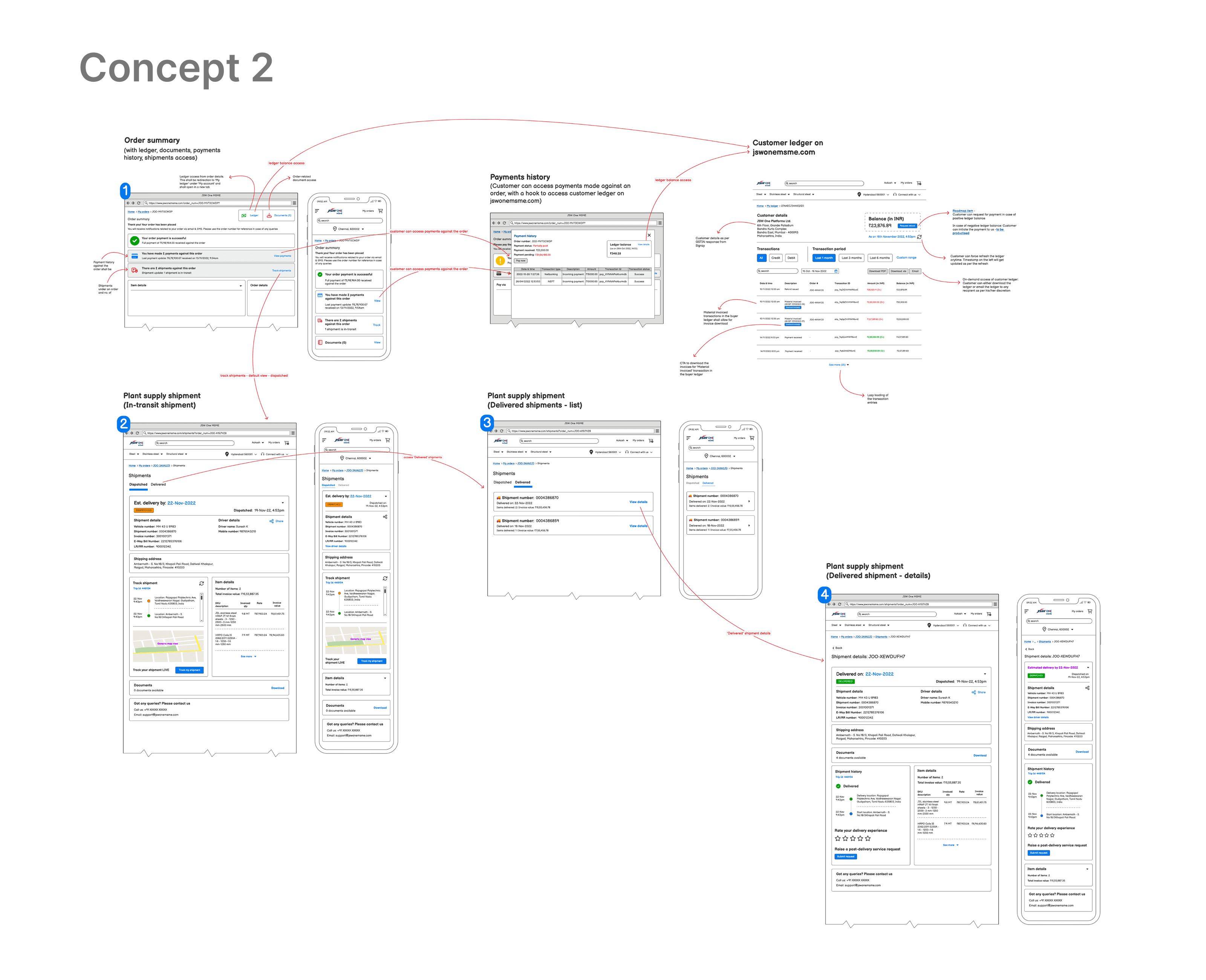
The IA came from that. Shipment tracking: map view, dispatch timestamp, expected delivery, delivered confirmation. Shipment details: invoice number, eway bill, LR/RR number, driver mobile, vehicle number. Dispatched items: SKU-level breakdown with specs, quantity, rate, and invoice value per line. Contact details: ops phone and email for when things go sideways.
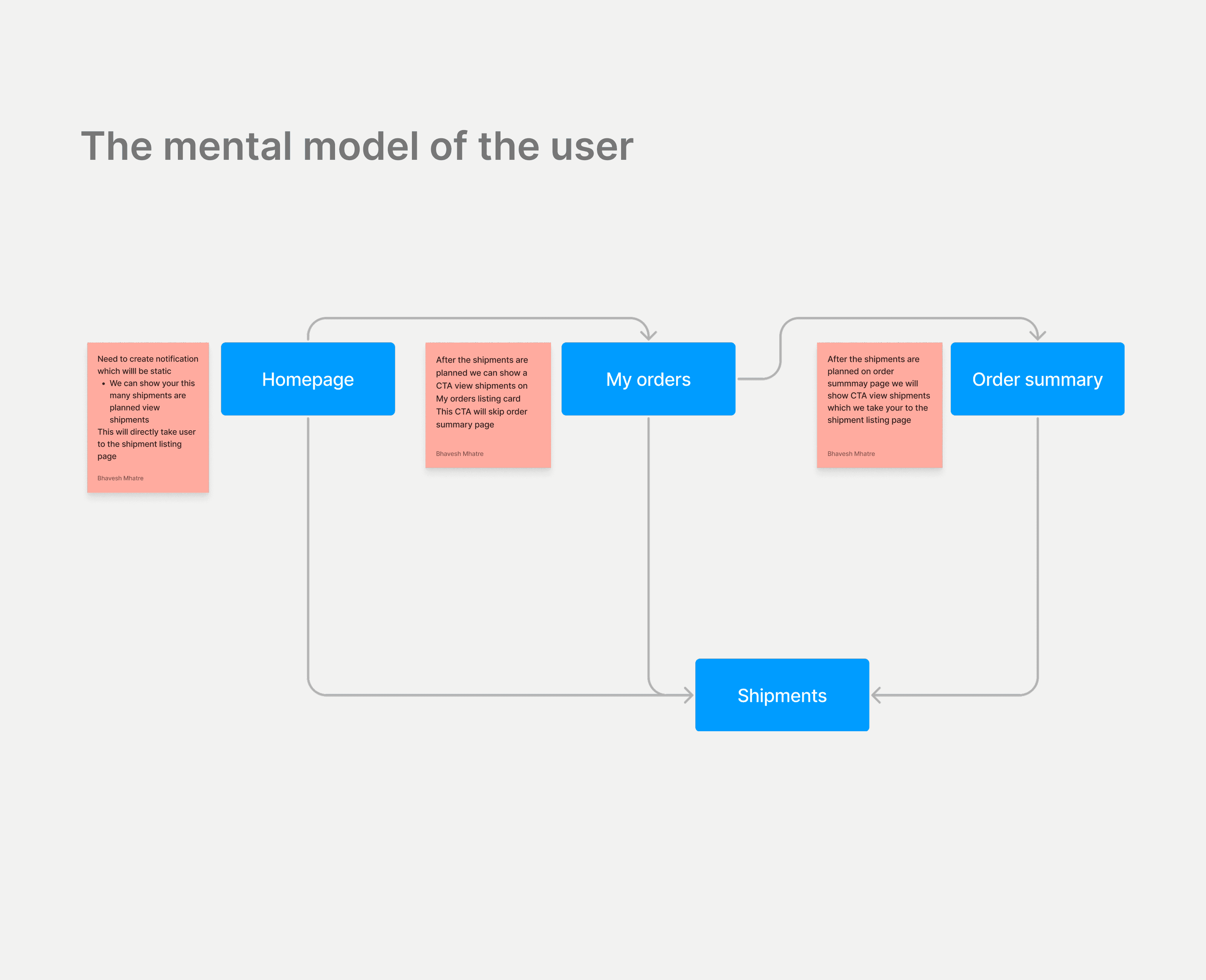
For navigation, I added two shortcuts: a static homepage notification that drops you directly on the shipment listing, and a "View shipments" CTA on the My Orders card that skips the order summary entirely. Checking whether your truck left shouldn't take three clicks.
Shipment List
01 / 04
Before this existed, customers had no single place to see all shipments against an order. They were calling ops to ask how many trucks were on the way.
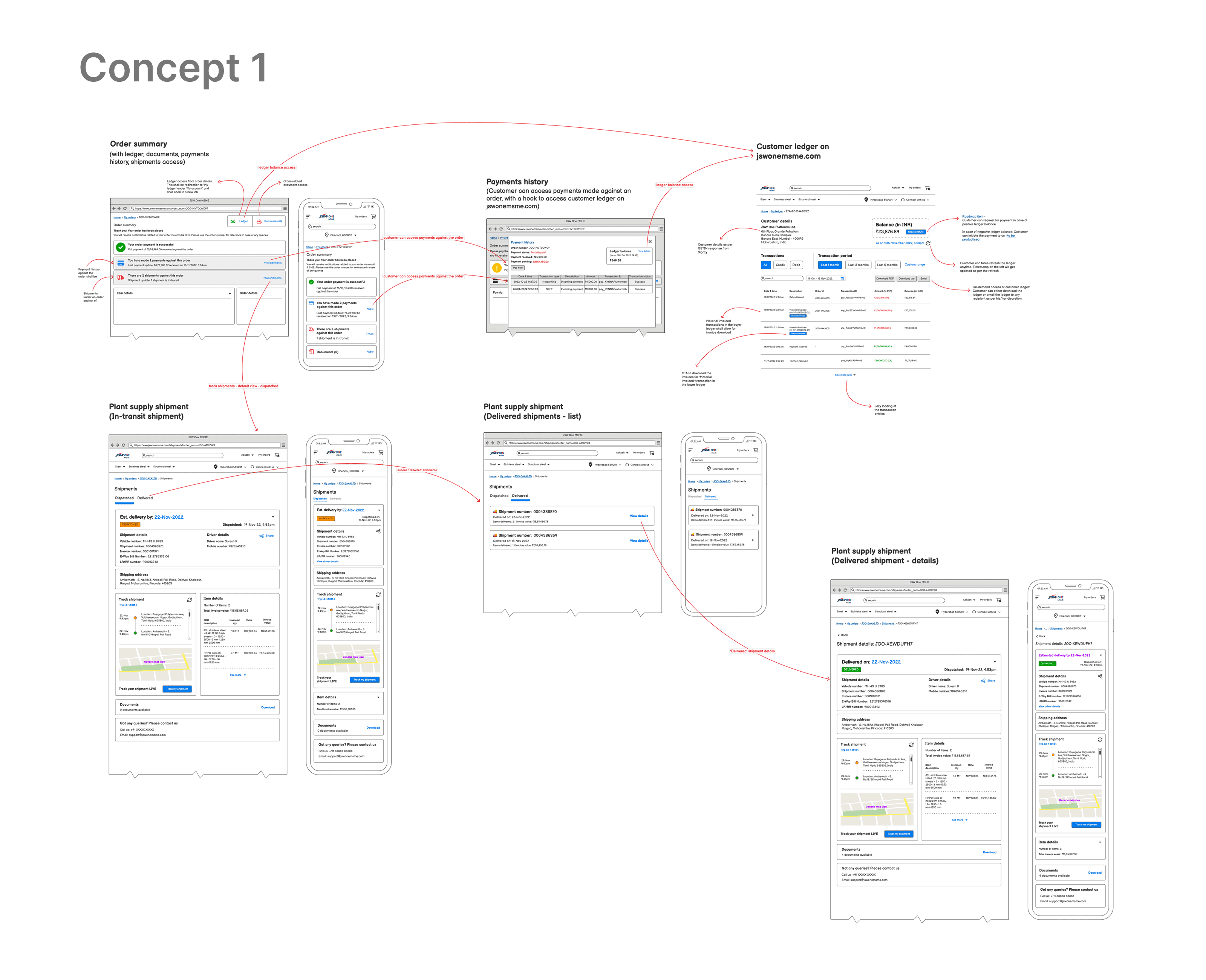
I designed the shipment list as a snapshot view every planned and delivered shipment in one table, with shipment ID, invoice value, item count, dispatch date, and delivery date visible at a glance. Selecting any row takes you to the full detail page.
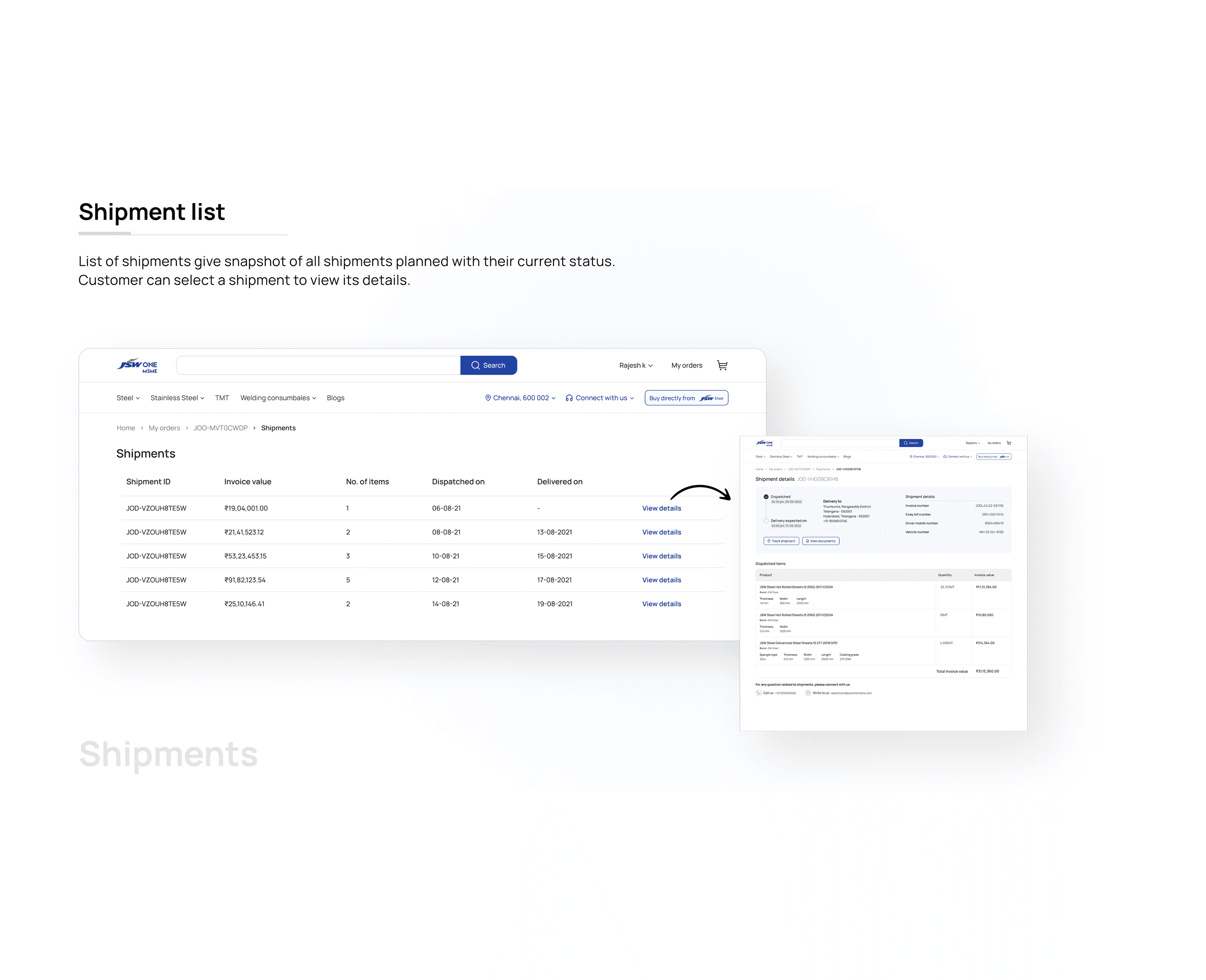
The list also carries status clearly, dispatched shipments and delivered shipments are separated into tabs, so a procurement manager can instantly see what's still in transit versus what's already at the site.
Shipment Details
02 / 04
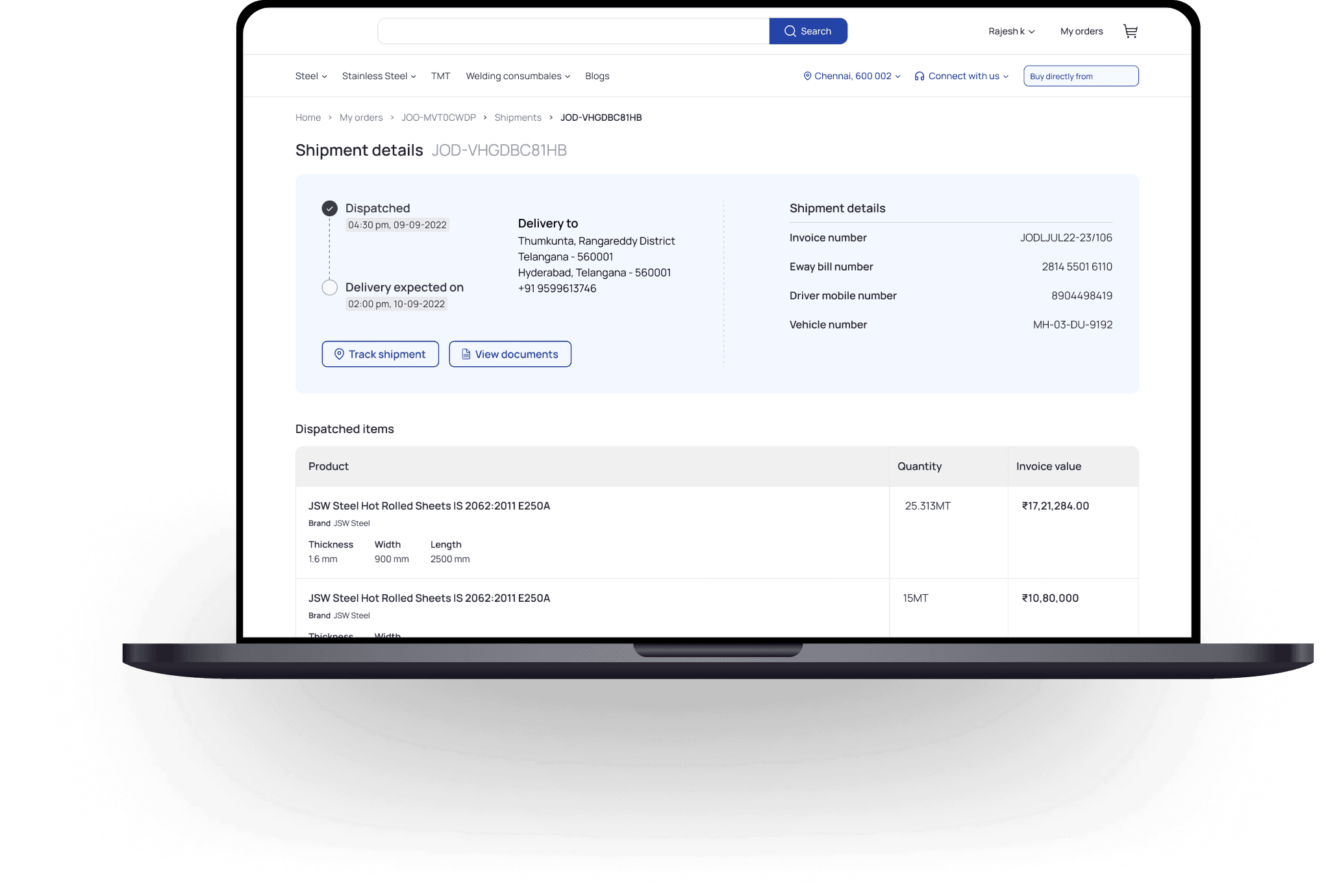
The detail page is where the real work happens. A customer managing a large steel delivery needs the driver's phone number, the truck's vehicle number, and the eway bill all at the same time, often while standing at a construction site on a phone.
I laid out the page in a single scrollable column: dispatch and delivery timeline at the top, logistics details (invoice, eway bill, driver, vehicle) in a structured grid, then dispatched items, then documents, then contact support at the bottom. No tabs, no toggles, everything visible without interaction.
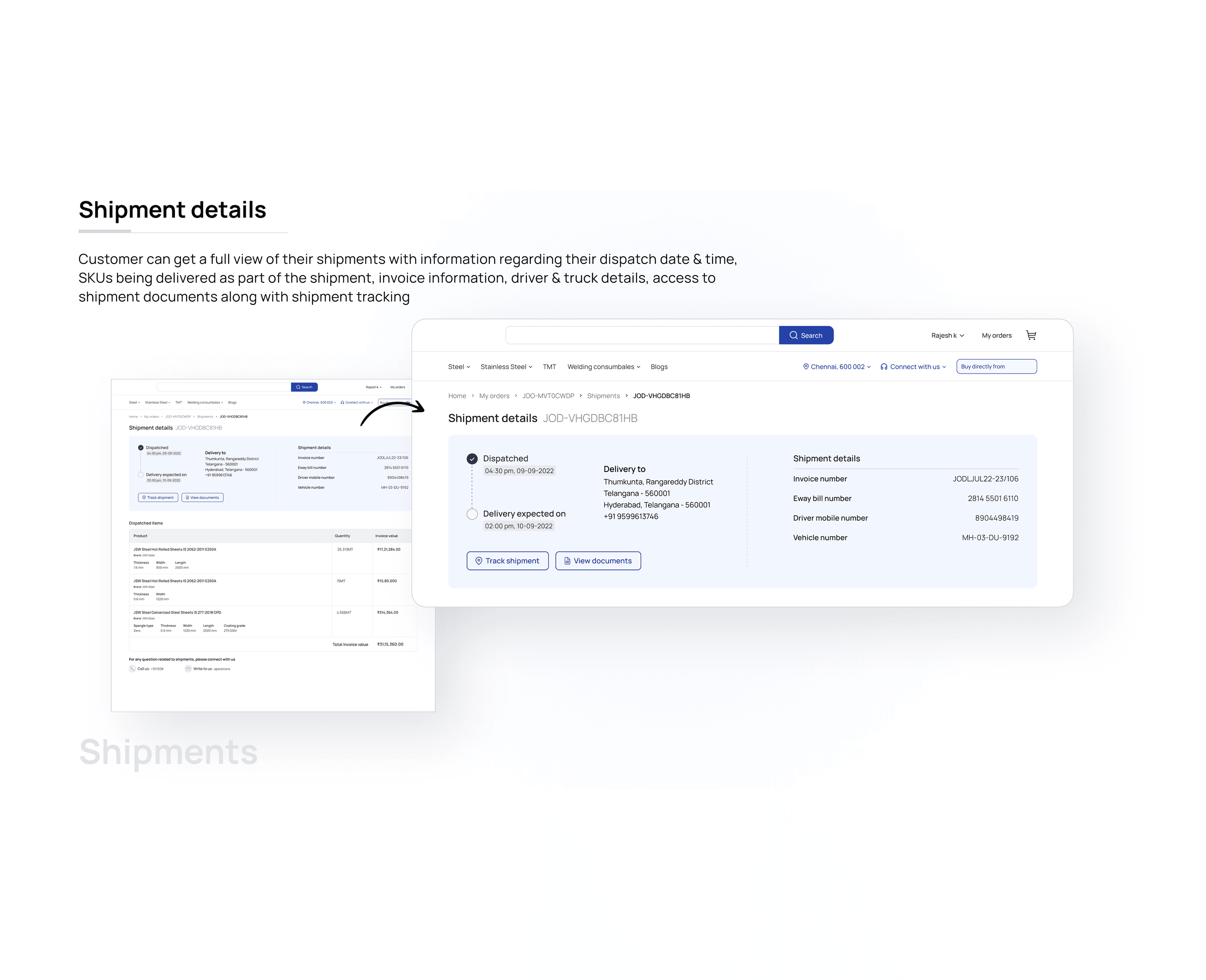
Both Track Shipment and View Documents are surfaced as primary CTAs right below the timeline, where the eye lands first.
Dispatched Items Breakdown
03 / 04
Steel orders are complex, multiple SKU types (hot rolled, galvanized, TMT), different thicknesses, widths, quantities, and invoice values per line item. Buyers need this to verify what was actually shipped against what they ordered.
I designed the dispatched items section as a structured table: product name, brand, specifications (thickness, width, length, coating grade), quantity in metric tons, and invoice value per line. Total invoice value appears at the bottom.
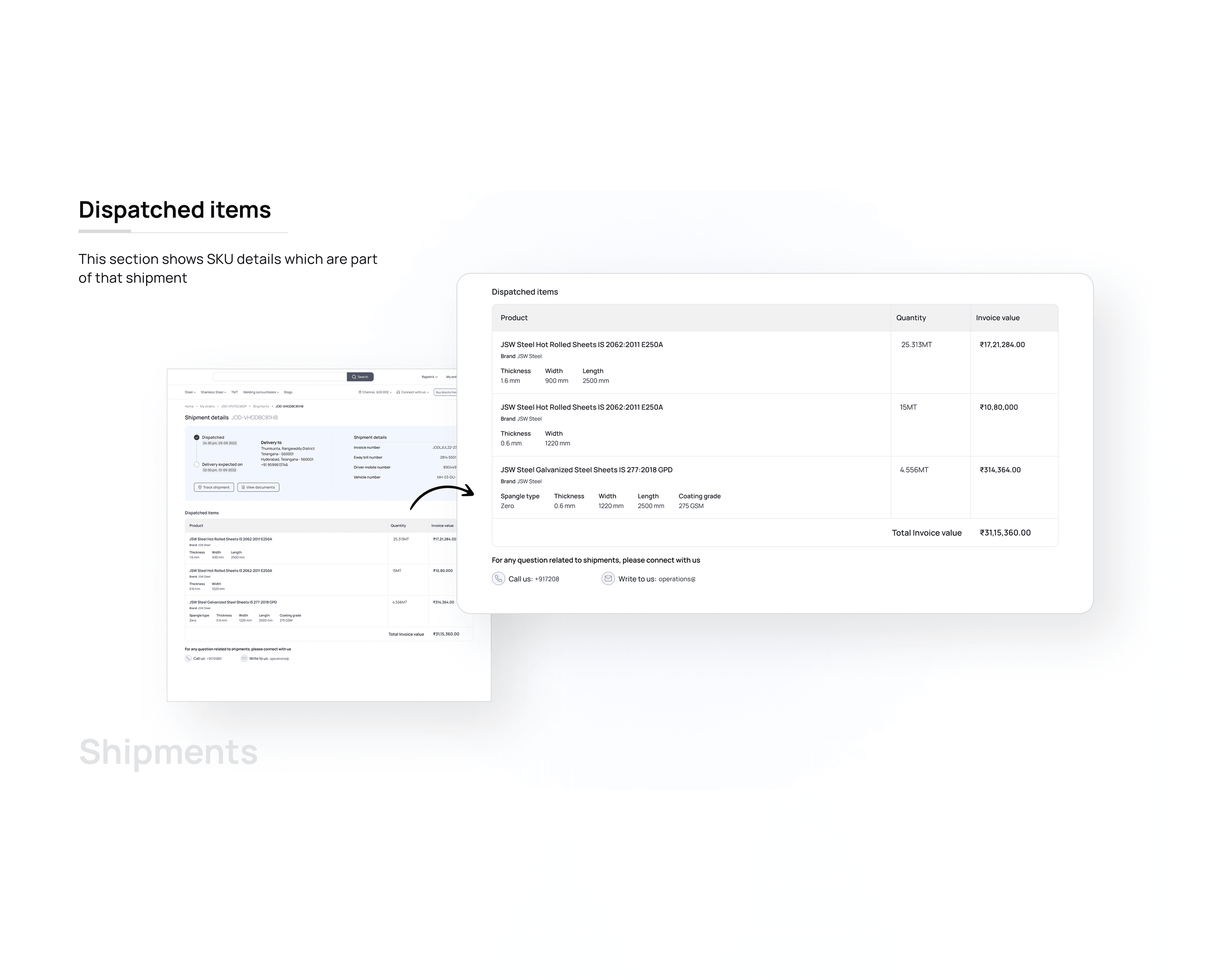
This wasn't cosmetic. It's the document a site manager checks against when the truck pulls up. Getting the hierarchy right, product name first, specs second, value third, mattered.
Payments History & Customer Ledger
04 / 04
Beyond shipments, the order summary also needed to surface payment history and connect to the customer ledger on jswonesmsme.com. Customers could see payments made against the order and access their ledger balance with a direct hook to the MSME portal.
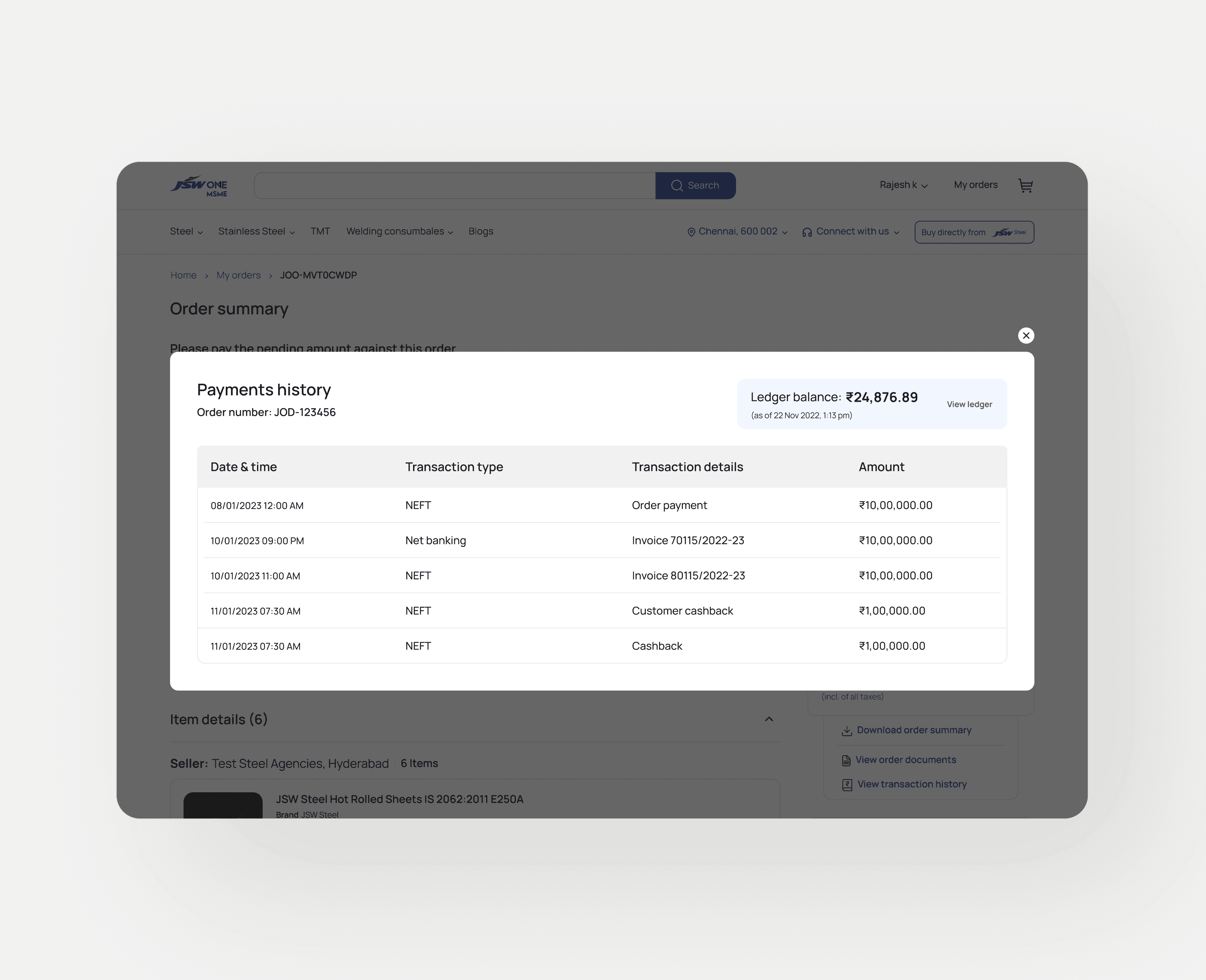
I kept this as a secondary layer accessible from the order summary, visible but not leading. The primary job of the page is shipment visibility. Payments are what you check after you've confirmed the delivery is on track.
This project was about one thing: getting the right information to the right person at the right moment in the supply chain.
A procurement manager at a construction site doesn't need a beautiful design. They need to know which truck is coming, when it's arriving, and who to call if it doesn't show up. Every design decision I made was filtered through that lens.
The result was a post-purchase layer that didn't exist before, and one that took what was previously a phone call to the operations team and turned it into a 10-second self-serve lookup.
Before this shipped, every post-order question was a phone call. Where's my material? Which truck? When does it arrive? What's the invoice value? All of it went to the operations team.
After launch, customers could answer all of that themselves: shipment status, dispatch timestamp, driver and vehicle details, SKU-level invoice breakdown, live tracking, and documents without contacting anyone.
The ops team stopped being the product.
That's not a vanity metric. For a B2B platform moving crores of steel inventory daily, reducing dependency on human ops for routine status checks is a real business outcome. It scales. Phone calls don't.
What changed concretely:
Shipment status went from a phone call to a 10-second self-serve lookup. Invoice and SKU details went from emailed PDFs to a structured, always-accessible page. Driver and vehicle information previously only available if ops chose to share it became visible to the buyer the moment a shipment was planned. Document access went from "call us, and we'll send it" to a downloadable link on the shipment detail page.
Three weeks. One designer. Zero to shipped.