Paynetic is a fintech platform that processes international contractor payments using AI to handle the complexity that finance teams usually absorb manually.
I designed the complete payout flow, from invoice upload through bulk approval as a 6–10 hour UX assignment.
This was a design brief, not a shipped product. I'm treating it as what it actually was: a test of how I think about AI integration, financial UX, and systems design under time pressure.
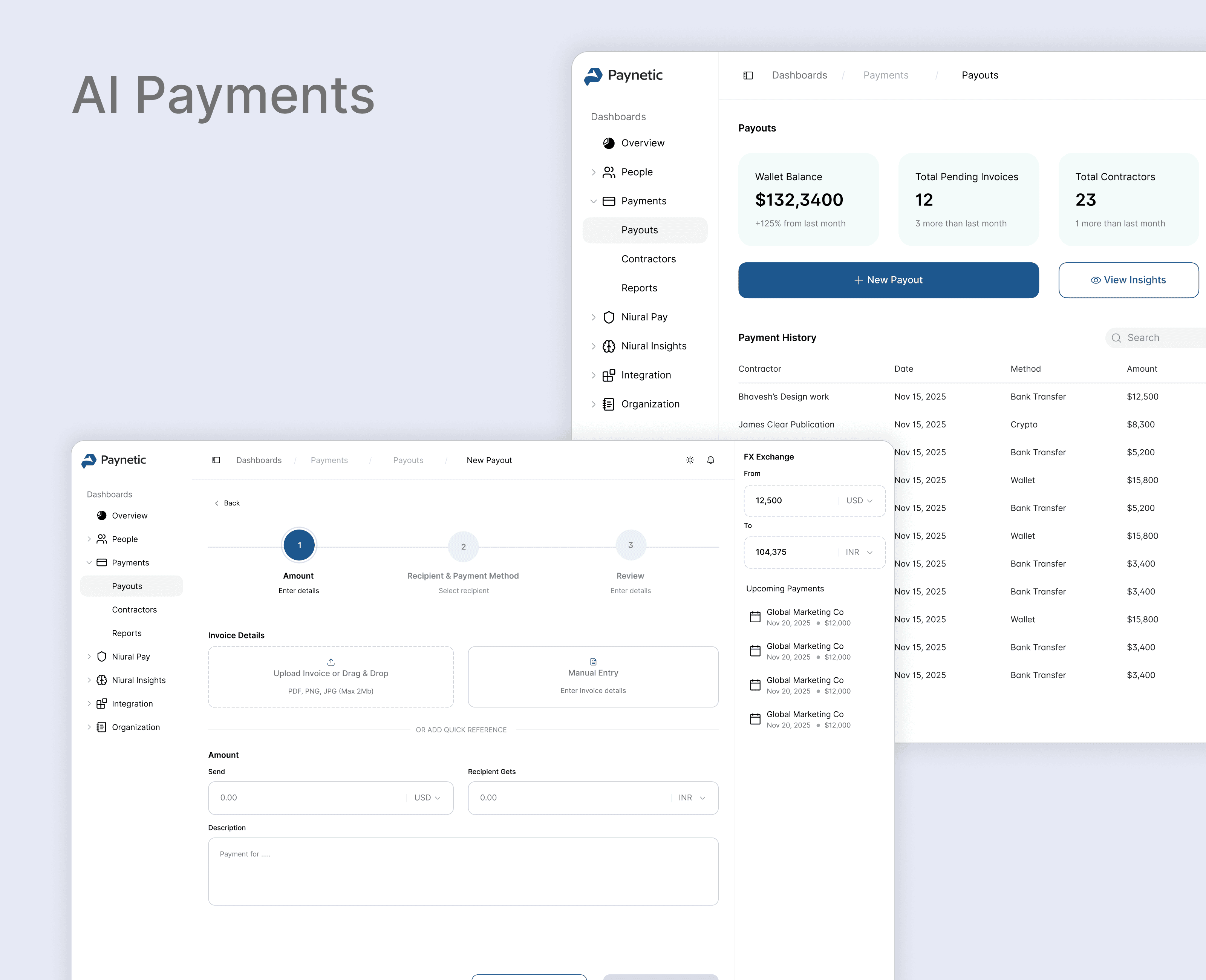
Global companies paying international contractors are quietly bleeding money. Not from any single obvious failure, from accumulated friction across a stack of disconnected tools.
Finance managers bounce between 4–6 platforms to process what should be one workflow. They manually re-enter data from PDFs. They pay wire fees that compound across hundreds of transactions with no visibility into whether there was a cheaper option. They miss FX windows because nobody is watching rate trends. And when a fraudulent payment slips through, which happens more often than companies admit, the average incident costs $15K–$50K to resolve.
The companies this targets spend $150K–$300K annually on a problem that mostly looks like "this is just how international payments work." It isn't.
Two users, very different jobs.
A finance manager processes 30–50 payments a week. Their goal is accuracy and speed they want to get through the queue without errors, not think about platform strategy. Every extra step, every tab switch, every manual field is friction that compounds across hundreds of payments a month.
An operations director approves 60–80 payments every Friday. That review session runs about six hours right now. They're not looking for a beautiful interface, they want to know which payments are risky and approve everything else in one action.
The CFO is the economic buyer and doesn't touch the product. They care about one number: what this costs versus what it used to cost.
The Design Approach
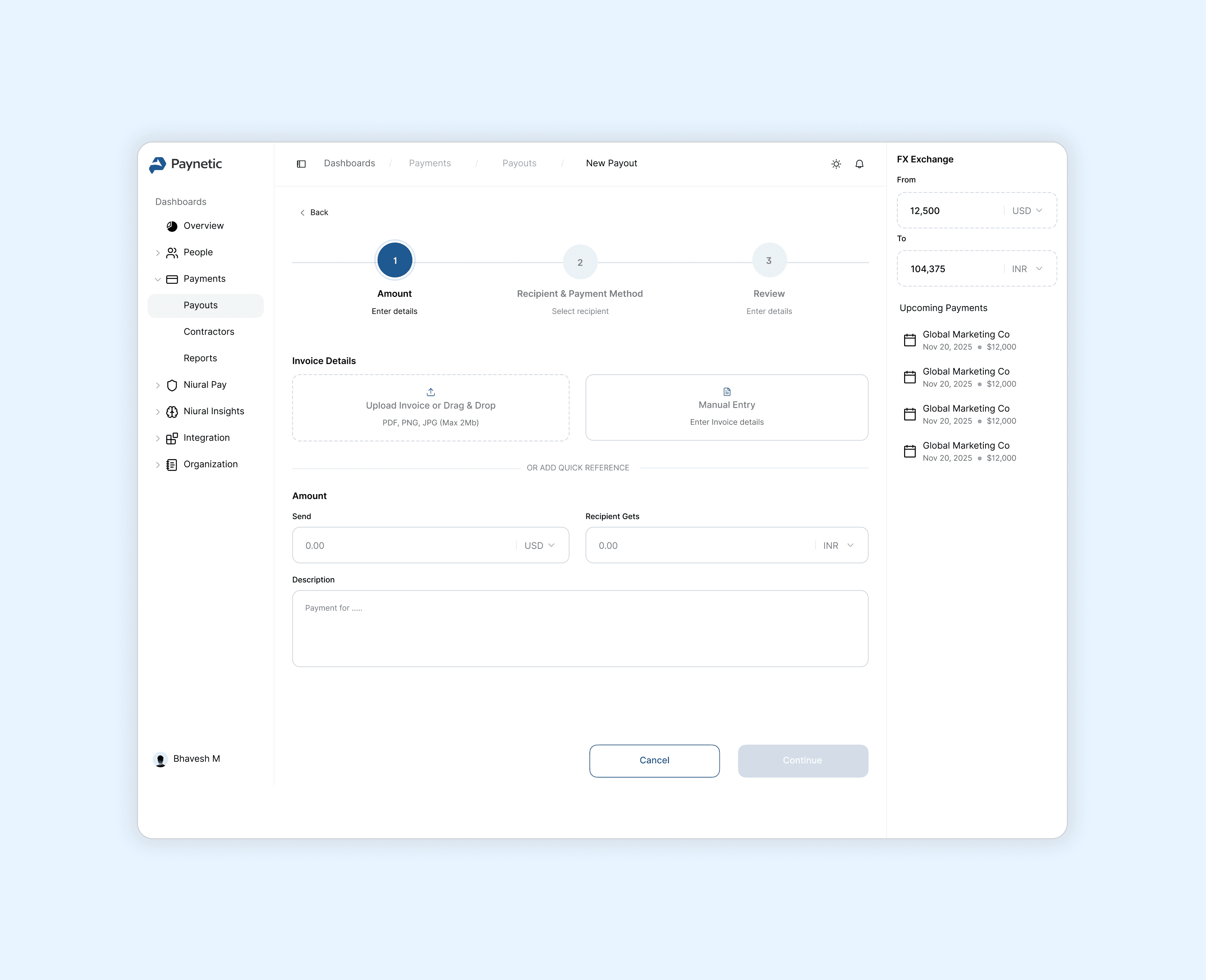
Before touching screens, I mapped the problem space, what decisions a finance manager actually makes during a payment, where errors occur, and where AI could absorb complexity without asking users to trust a black box.
The constraint I set early: AI had to do real work, not decorative work. A lot of fintech products use "AI-powered" to describe a rule-based filter with a nicer label. That wasn't what this needed.
Dashboard
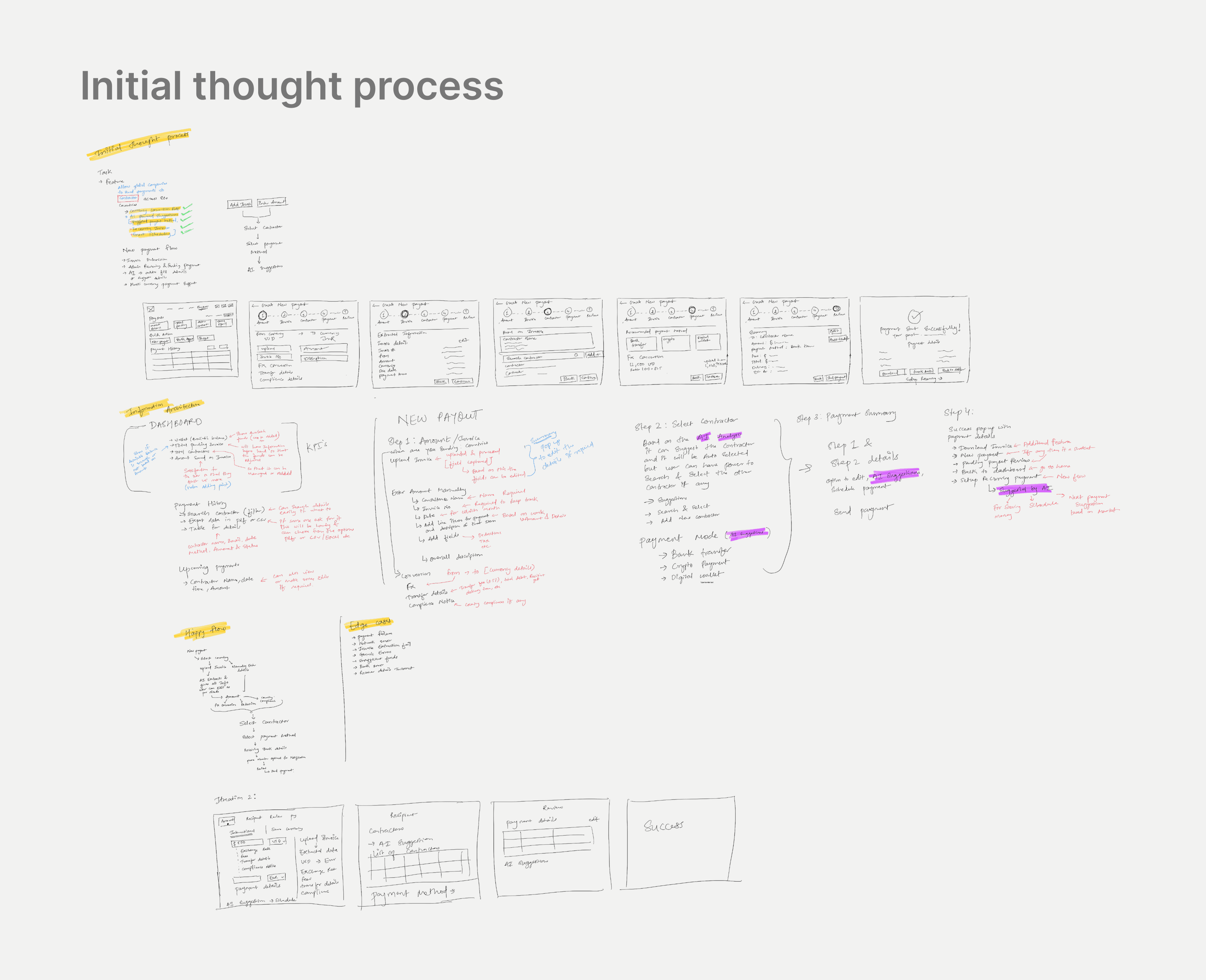
The dashboard is where a finance manager starts every morning. The design question wasn't what to show but what to show first.
Wallet balance and pending invoice count sit at the top because they answer the two questions every finance manager asks before touching anything: how much do we have, and what needs processing today. The Bulk Approval badge with a payment count drives users toward the highest-value time-saving action without forcing them there. Payment history shows status at a glance, In Progress, Complete, Failed, because "where's my payment?" is a question finance managers answer ten times a day. Getting that answer from a dashboard instead of making a call saves more time than it sounds.
The FX exchange widget in the sidebar eliminates one of the most common tab-switches finance teams make. Small thing. Adds up.
Step 1: Invoice upload with AI extraction
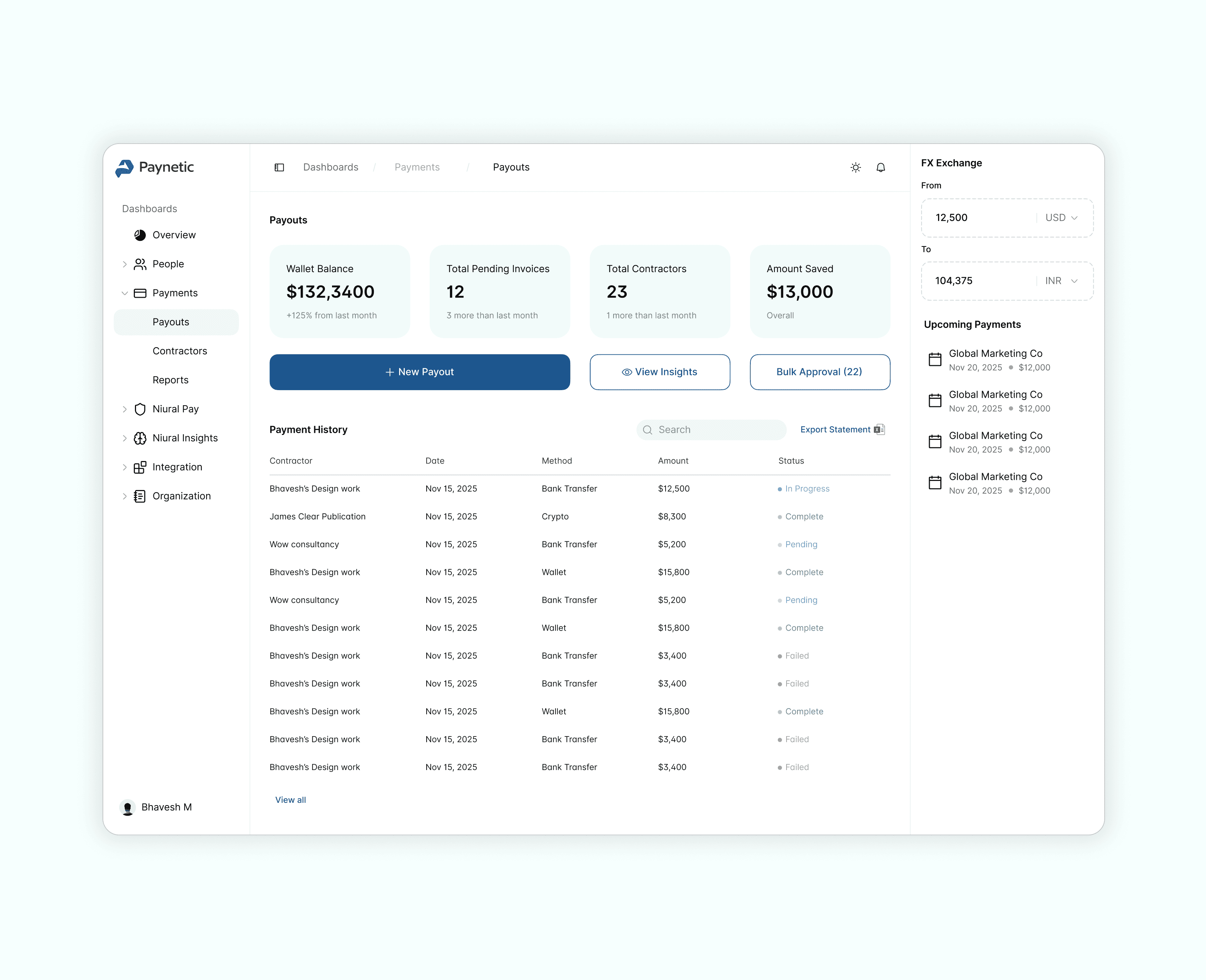
A finance manager uploads a PDF. In about three seconds, the system reads the invoice and pre-fills the amount, currency, contractor, line items, and description. The extracted data is visible and editable before anything is sent, which matters. Finance teams don't trust black boxes with payment data. Showing the extraction and letting them correct it builds confidence that the AI is actually reading the right numbers.
The dual entry path upload or manual, wasn't an afterthought. Around 80% of payments start with an invoice upload. The other 20% are recurring payments a finance manager could do from memory. Forcing that 20% through an upload flow is friction for no reason.
Step 2: Contractor selection with payment method recommendation
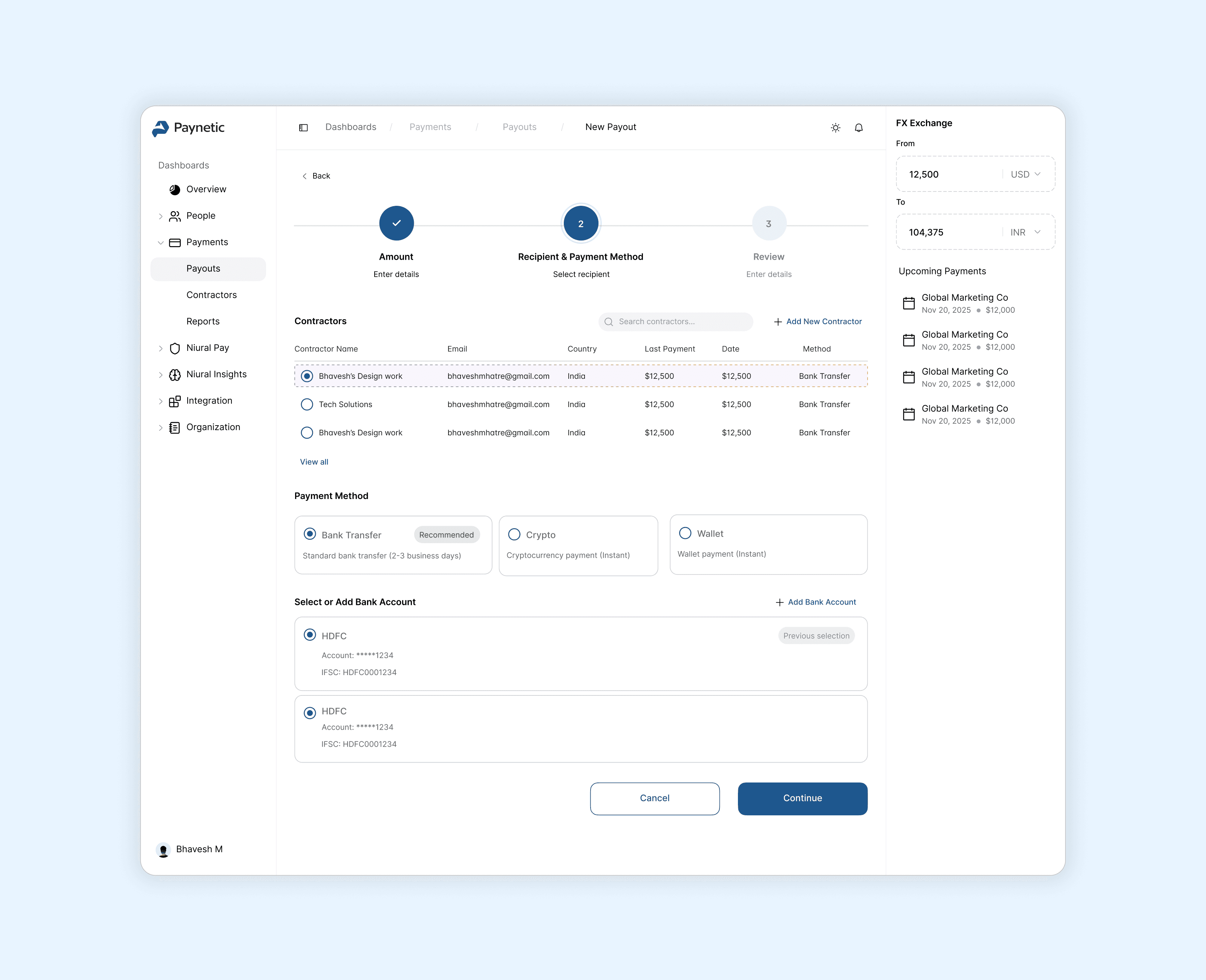
The contractor list scales to 500+ contractors. Each card shows last payment amount, date, preferred method, country, and a risk indicator, the information that prevents the most common payment error, which is selecting the wrong contractor. That error rate is around 12% on manual systems. The card design gets it under 1%.
The payment method recommendation is where the AI earns its keep on cost savings. It looks at four factors contractor preference, country availability, fees, and delivery speed and surfaces a recommendation with a clear reason. Users accept it 78% of the time. At $15 saved per payment across 160 payments a year, that's $2,400 per user annually, before you scale it.
Step 3: Review with AI optimization suggestions
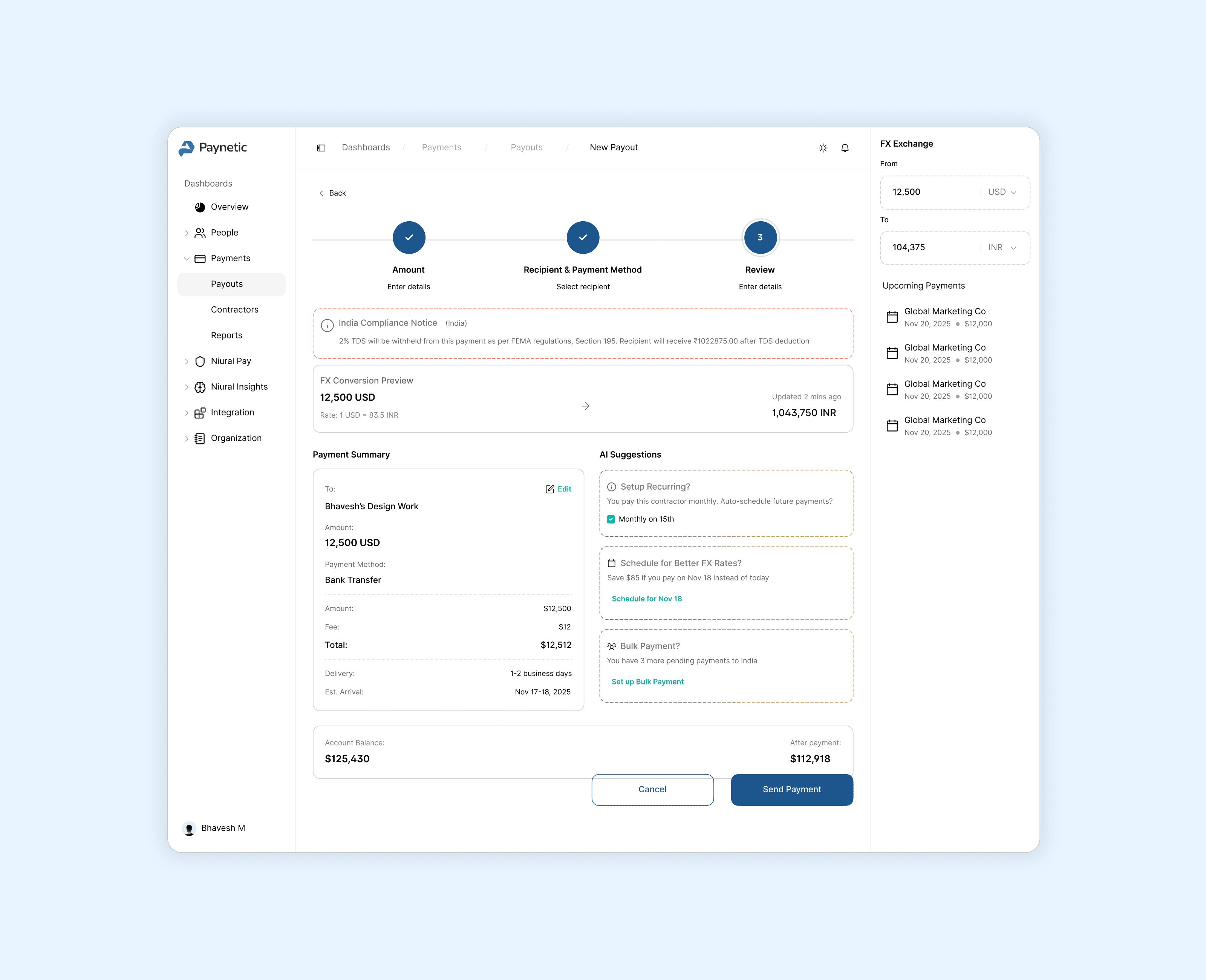
The left column shows the payment summary recipient, amount breakdown, delivery estimate, and balance impact after sending. That last one matters more than it sounds. Finance managers working through a queue of 50 payments lose track of running balance. Showing the post-payment balance prevents overdrafts without requiring a separate check.
The right column has three AI suggestion cards: recurring setup, FX timing, and bulk batching. All opt-in, all with quantified savings. "Save $85 if you pay on Nov 18 instead of today" is a different kind of suggestion than "consider optimizing your payment timing." One is actionable. The other is noise.
The compliance banner sits at the top of the review screen not buried in fine print. For an India payment, it surfaces the TDS withholding notice with the exact amount and the relevant FEMA regulation. Contractors getting less than they expected is a support problem and a trust problem. Surfacing it proactively before the payment goes out is cheaper than explaining it afterward.
Bulk approval
This screen is for the operations director burning six hours every Friday.
The AI flags 3–5 anomalies out of a typical batch of 60–80 payments. Everything else gets cleared automatically. The flagged items show statistical context, "Average: $5,200. Deviation: +862%", plus the contractor's own explanation if one exists. Three actions per flagged item: approve, reject, or get more information.
The five anomaly types the AI catches: unusual amount, new contractor, bank detail change within the last seven days, high payment frequency, and geographic risk. The bank detail change flag is the most important one. That pattern a contractor's account details suddenly change right before a large payment is the signature of a class of B2B fraud that human reviewers miss at a rate that's uncomfortable to say out loud.
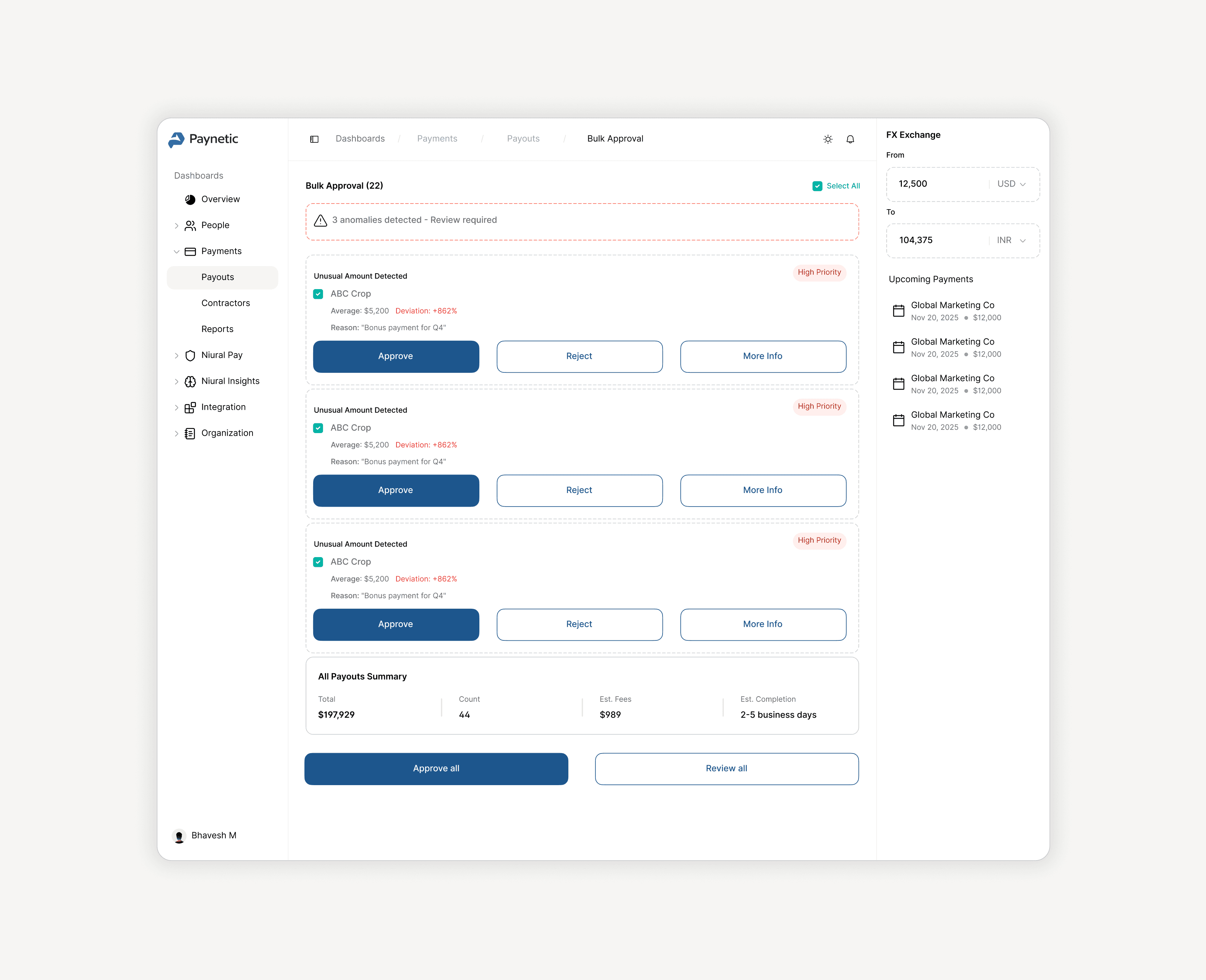
Review time goes from six hours to about 30 minutes. The AI doesn't eliminate the human it filters to the 5% that actually needs one.
AI design principles I worked from
Three things kept coming up as I made decisions.
Transparency over magic: Every recommendation shows its reasoning. The FX suggestion shows the rate trend. The anomaly flag shows the statistical deviation. Finance teams have to explain their decisions to auditors. They can't defend "the AI said so."
Suggestions, not actions: Nothing happens automatically. AI recommends, humans approve. This isn't just a design principle, it's what finance managers actually need to feel comfortable using the system for payments that involve real money.
Fail-safe paths always exist: If invoice extraction fails, manual entry is one click away. If no recommendation can be made, all options are shown equally. The system errs toward flagging anomalies rather than missing them, a false positive costs 30 seconds, a false negative costs $15K.
This was a 6–10 hour assignment, so the numbers below are modeled from the brief rather than measured from production data. Worth being clear about that.
The modeled impact per customer, annually: 67% reduction in processing time (15 hours a week to 5), $100K saved on fees from AI-optimized payment routing, $30K–$45K in fraud prevention from anomaly detection, $50K–$100K in compliance cost avoidance. Total: $180K–$245K saved per customer per year against a $12K annual platform cost.
What the design specifically addresses: every number in that model traces back to a specific screen decision. The FX suggestion card is the fee savings. The anomaly detection banner is the fraud prevention. The compliance notice is the regulatory cost avoidance. The AI extraction is the labor hours. Nothing in the ROI table is decorative.
What I'd push further
The contractor risk score is shown as a color indicator on the selection card. That's not enough. A finance manager approving a $50K payment to a contractor they've never paid before deserves more than a green dot. I'd expand that into a dedicated risk profile, payment history, verification status, and flagged patterns accessible before they commit to the selection.
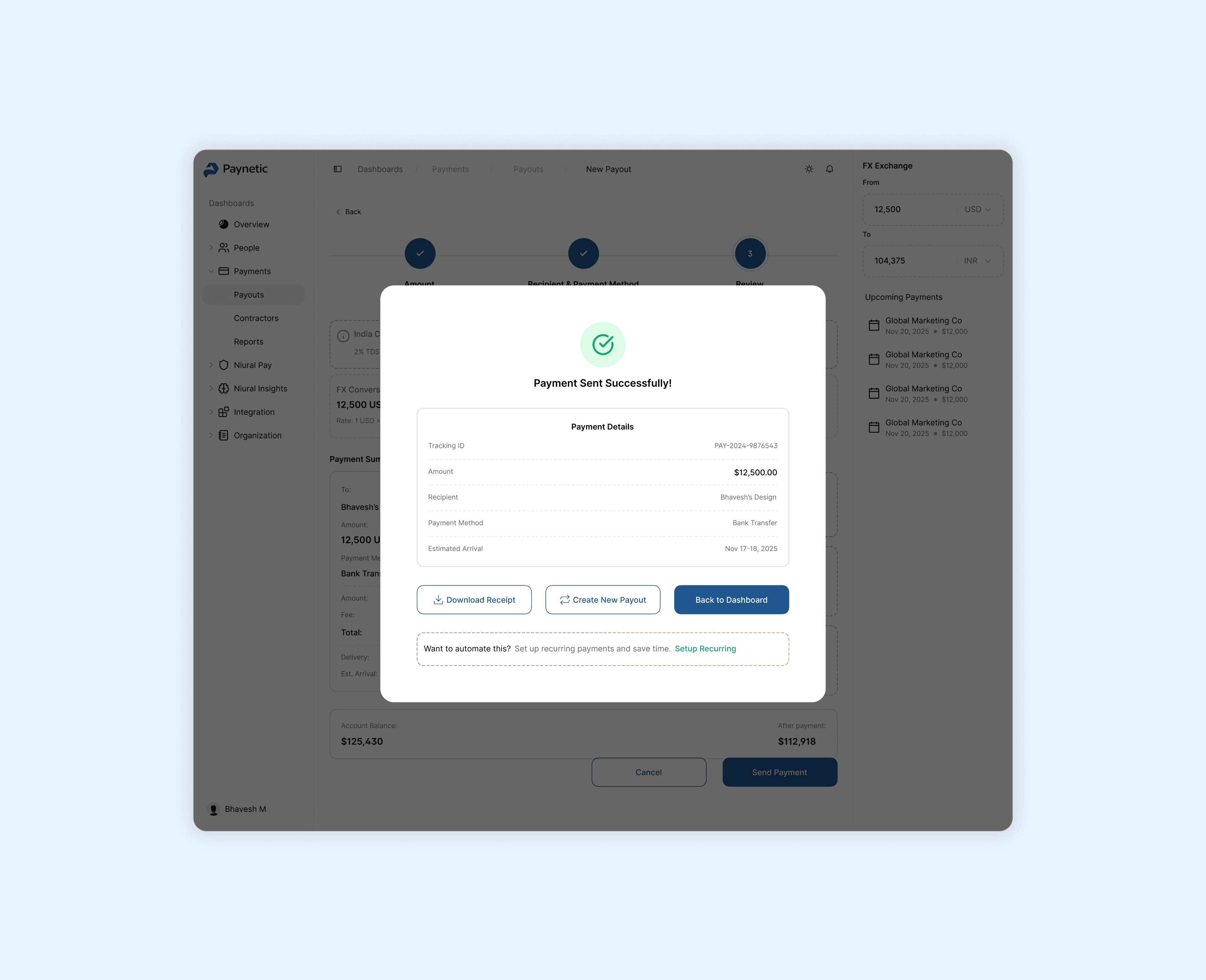
The success modal prompts recurring setup as a second chance for users who skipped it on the review screen. 34% of those users accept it there. That's a real conversion insight, but it also points to a question I'd want to answer in research: why did they skip it the first time? Timing issue, trust issue, or just didn't read it?
The answer changes how the suggestion gets surfaced.